
Creative AI
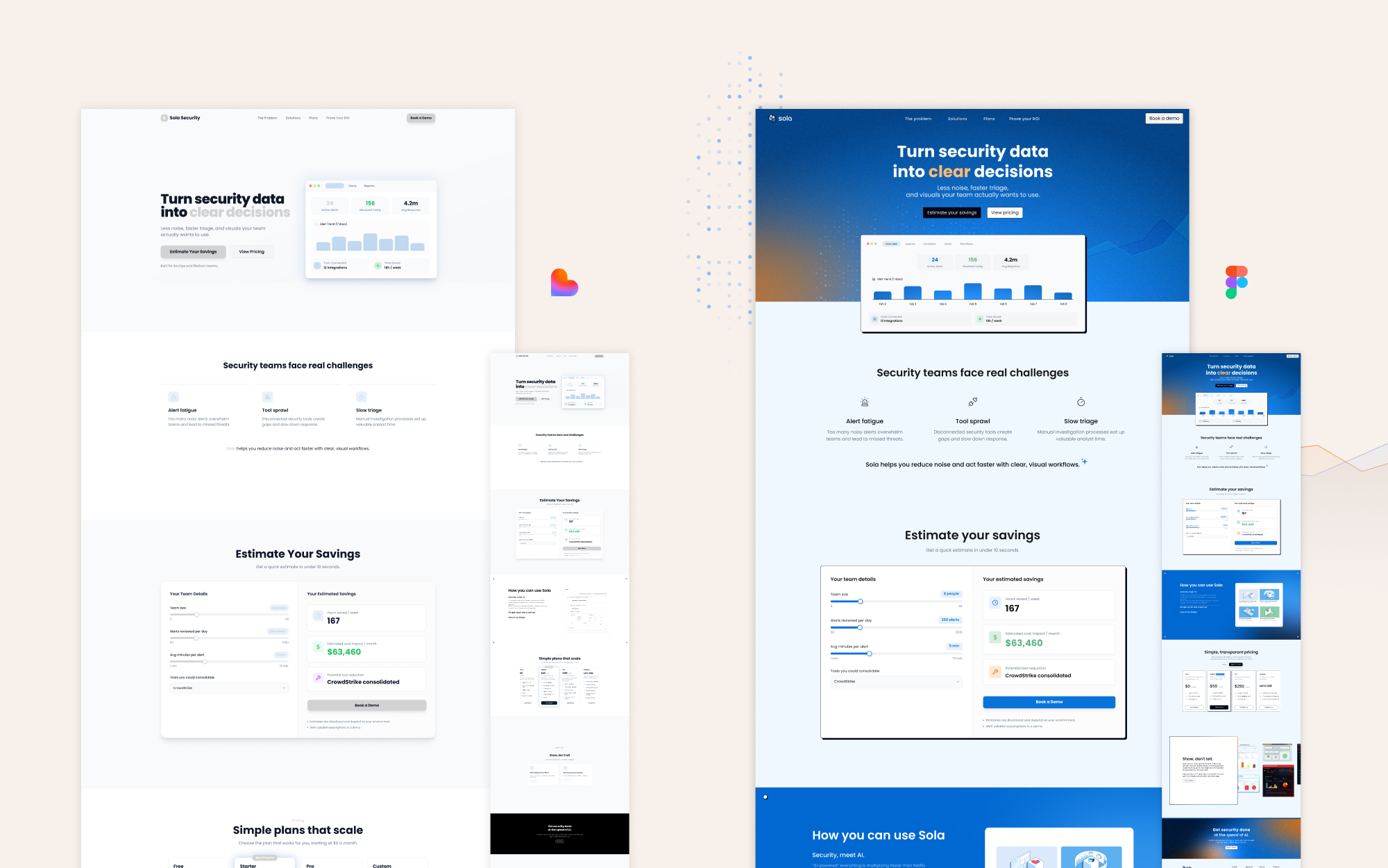
Interactive Savings Calculator Landing Page
Design challenge
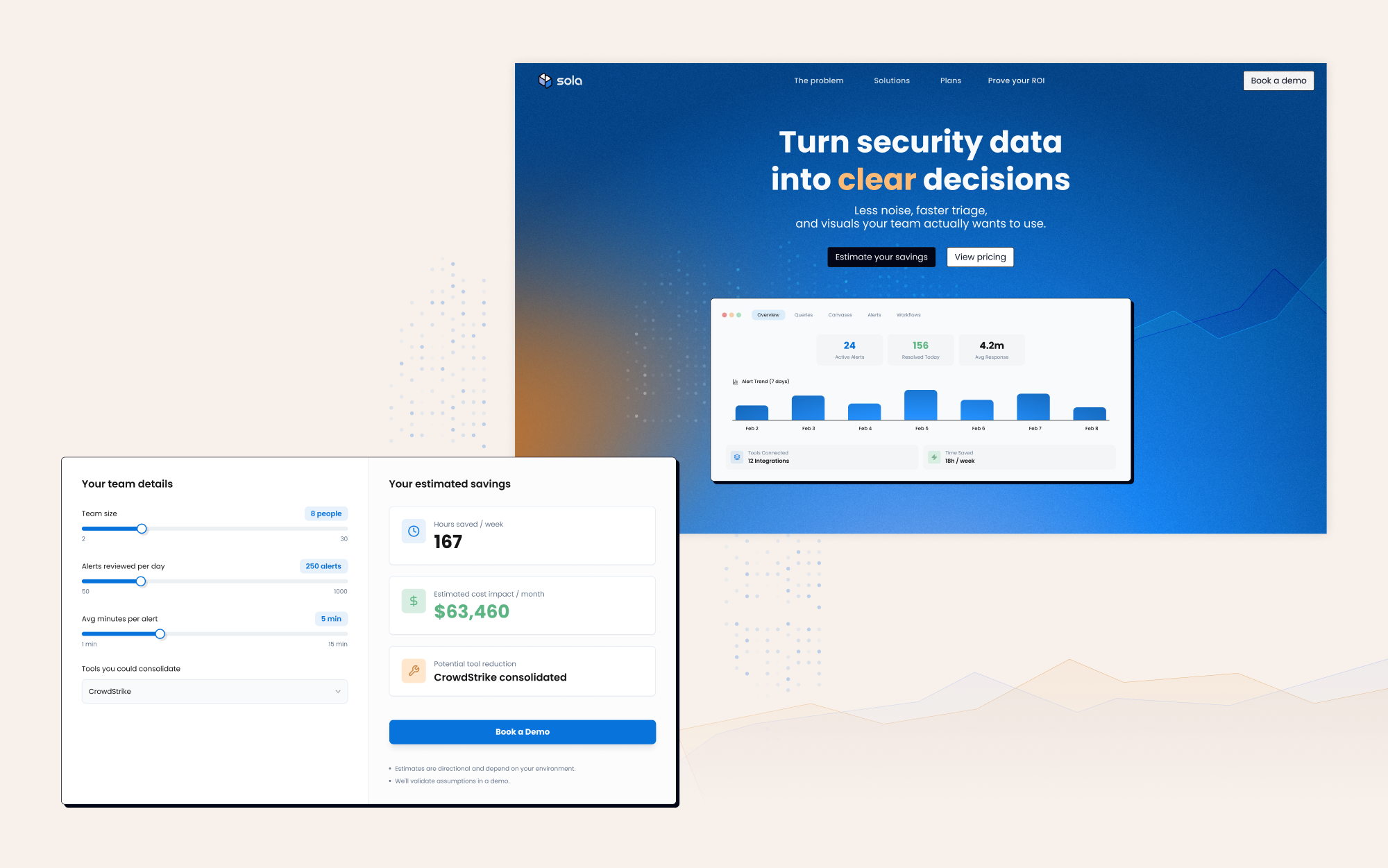
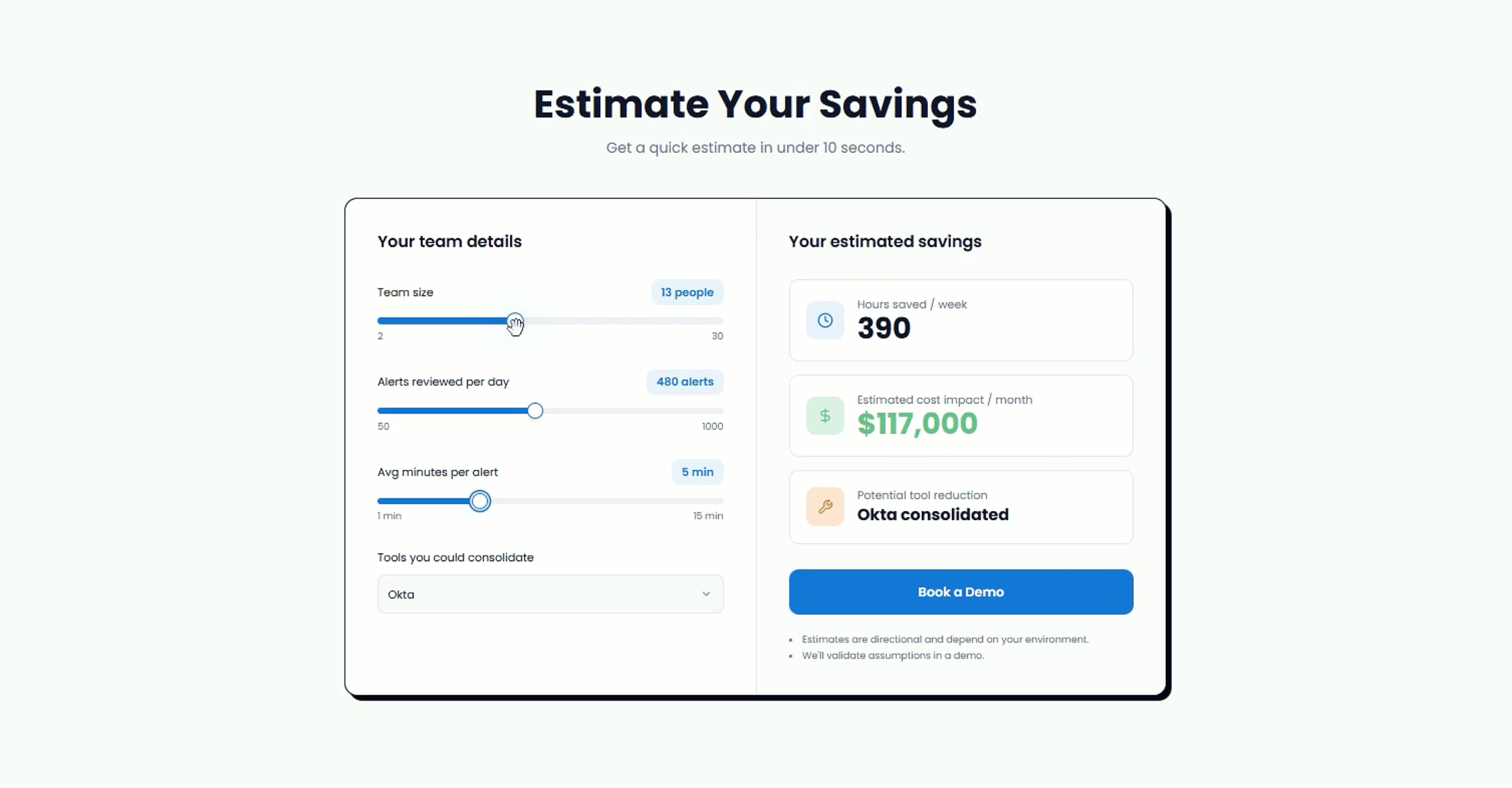
Help security teams quickly estimate the savings of using Sola’s product.
Solution
Turned security data into clear storytelling with an interactive savings calculator based on team size, security tools, alert volume, and cost tooling. Started from an AI mockup, then redesigned it to match the brand with a clean, conversion-focused UX.
Designing a Multi Tier Pricing Page
Design challenge
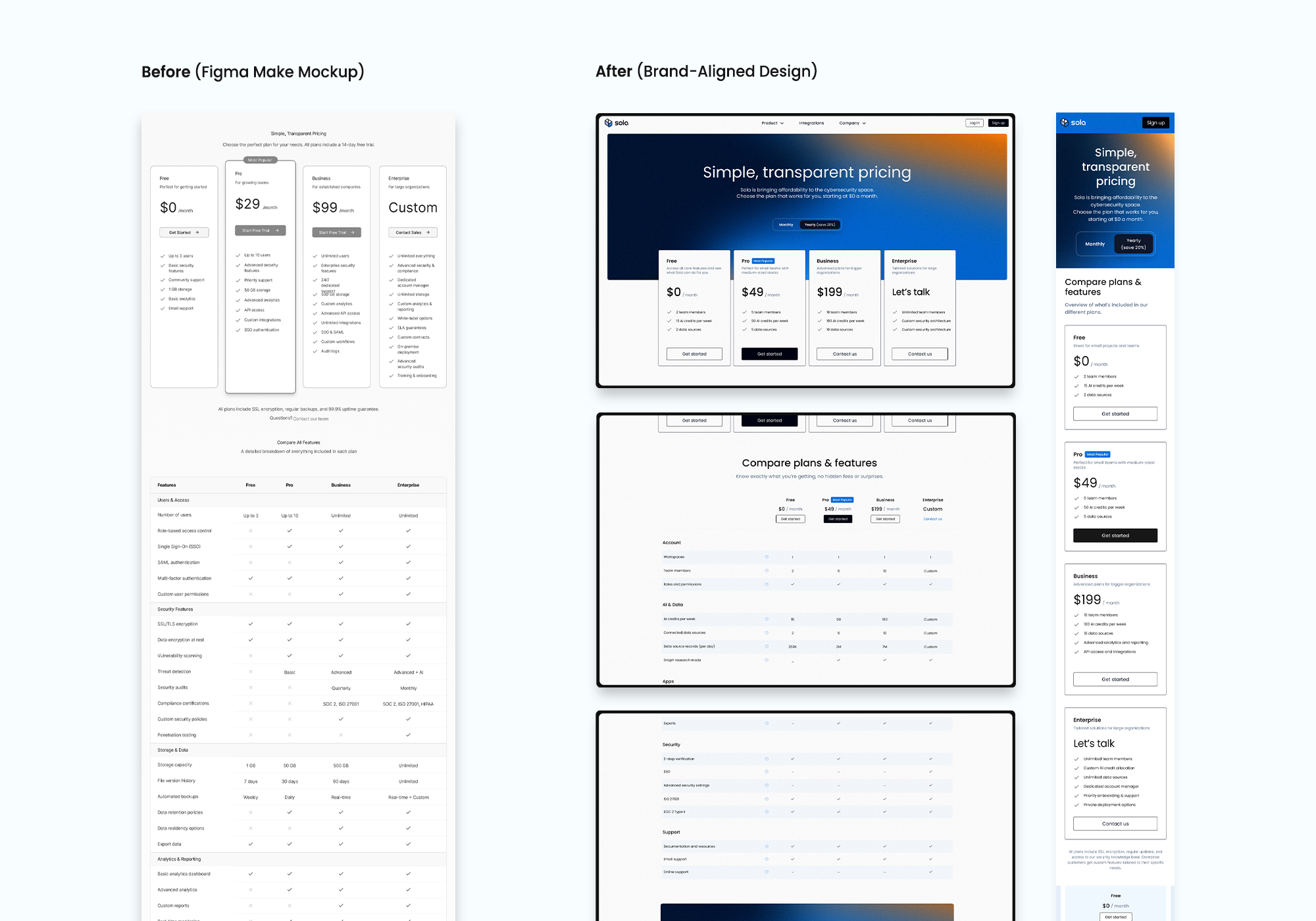
Turn the pricing page into a conversion asset by improving plan clarity and reducing decision friction to increase CTA clicks across desktop and mobile.
Solution
I started with an AI-generated mockup, then refined it into a brand-aligned pricing page with clear tier hierarchy and strong CTAs. Desktop uses side-by-side comparison, while mobile uses a stacked layout with sticky pricing to keep key details visible and reduce drop-off.
I also used AI to draft initial copy so marketing could iterate faster on messaging and tests.
Bringing Security Data to Life with an AI-Generated Canvas
Design challenge
Show how vibe coding can turn raw security data into a memorable, product-led demo that marketing and sales can use with prospects.
Solution
Using only prompts in our AI-powered Canvas Builder, I created a Simpsons-inspired canvas and evolved it into a multi-tab app with clear structure and playful visuals.
The result became a reusable asset that helps customers see how they can visualize in-app technical data and understand the product’s unique value.
Designing a featured image illustration
Design challenge
Create a friendly, character-led metaphor for the blog “Agentic workflows in security operations” that shows agents building progress step by step.
Solution
I used AI to explore characters and compositions, then developed a lemming laying a winding road as the core metaphor. I refined the pose, colors, and scene, and aligned the final illustration with the brand guidelines.
